
Power Automate · SharePoint · Entra ID
Automated Employee Onboarding Workflow
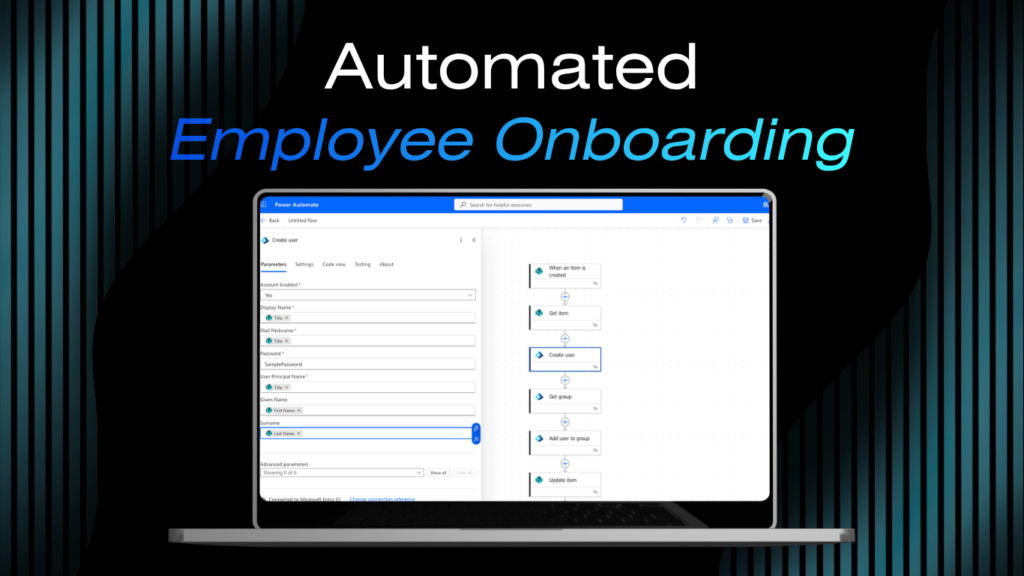
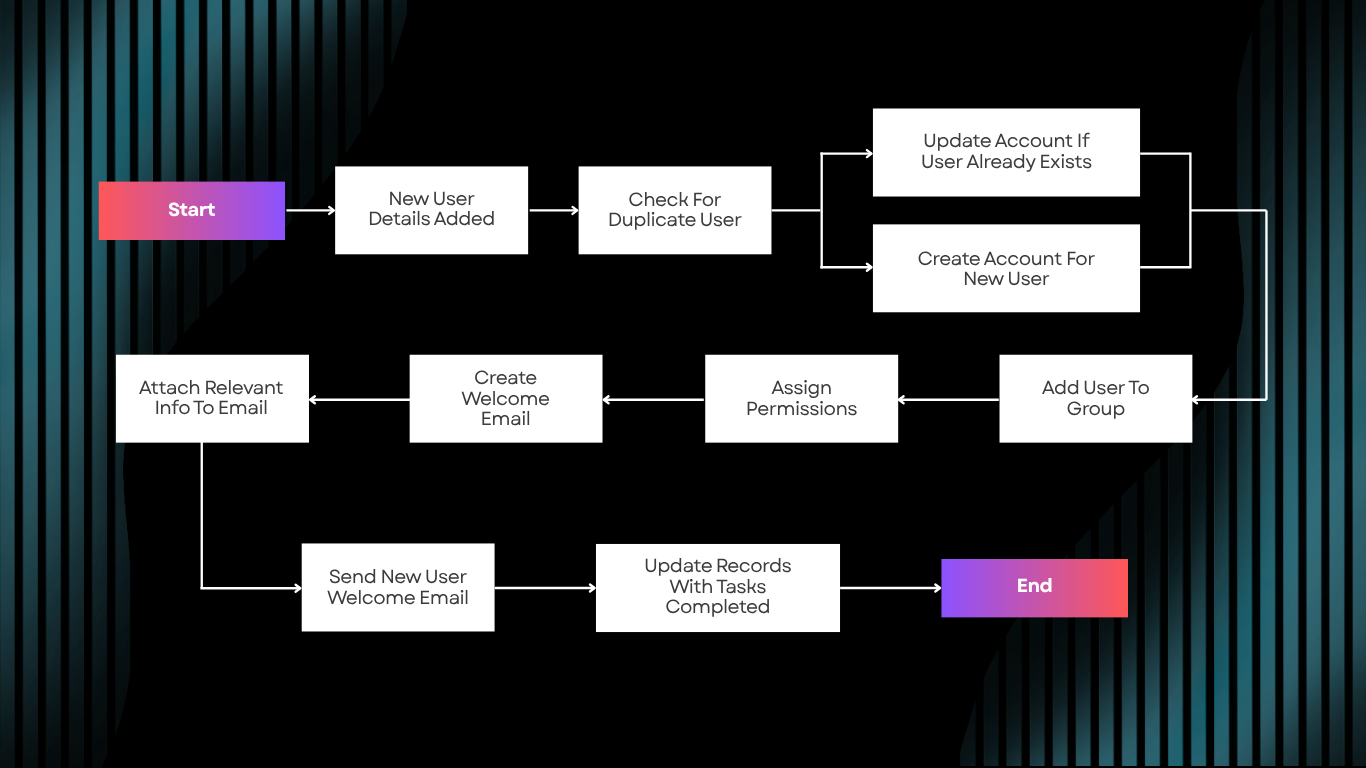
A multi-step Power Automate flow that handles the full employee onboarding sequence the moment a new hire is added to a SharePoint list. Account creation in Entra ID, permission assignment, and a personalized welcome email, all running automatically with no manual steps required after the trigger fires.
The Problem
Manual onboarding depends on someone following a checklist
Manual employee onboarding is slow, inconsistent, and prone to errors. Forgotten permissions, delayed account access, and missed welcome communications are common, and each one creates friction on day one for a new hire. When the process depends on someone walking through a checklist on the right day and remembering every step, some steps get missed.
What I Built
A multi-step flow. One trigger. Zero manual steps.
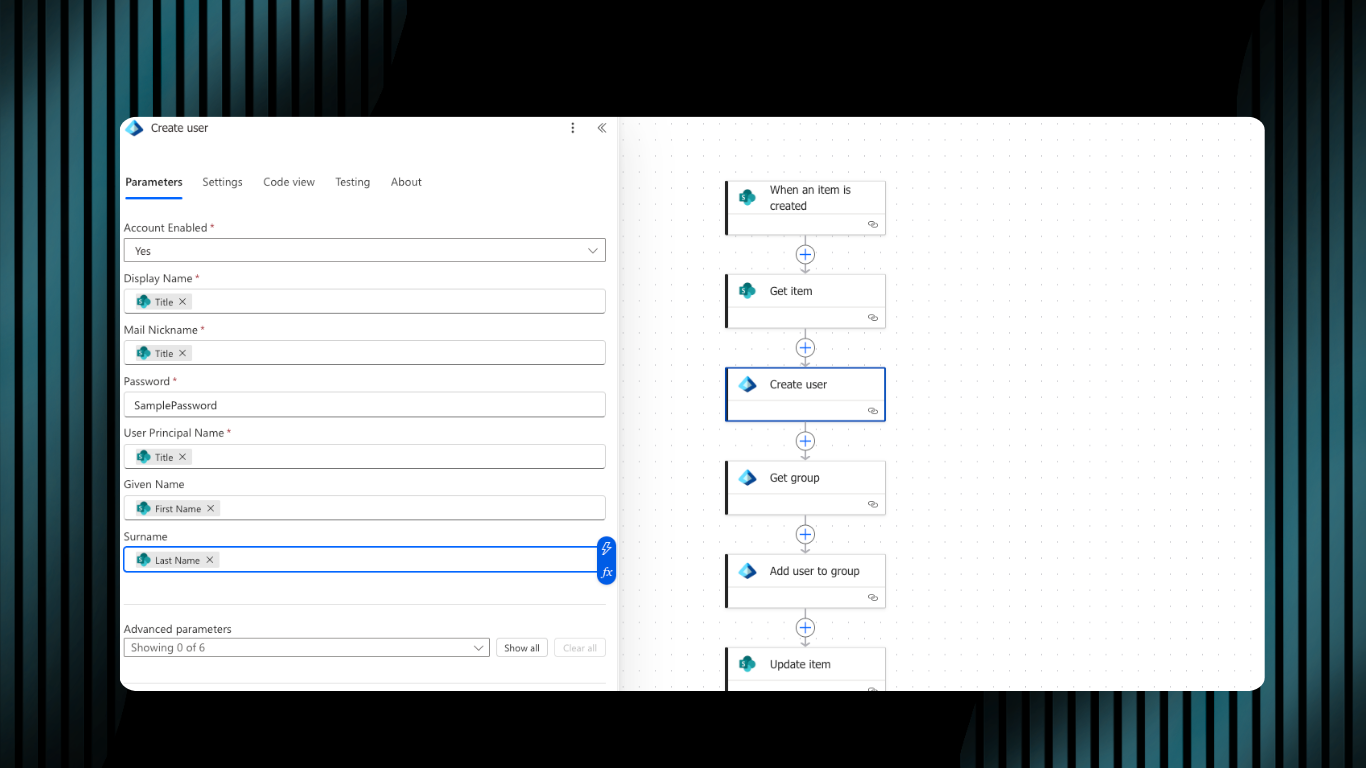
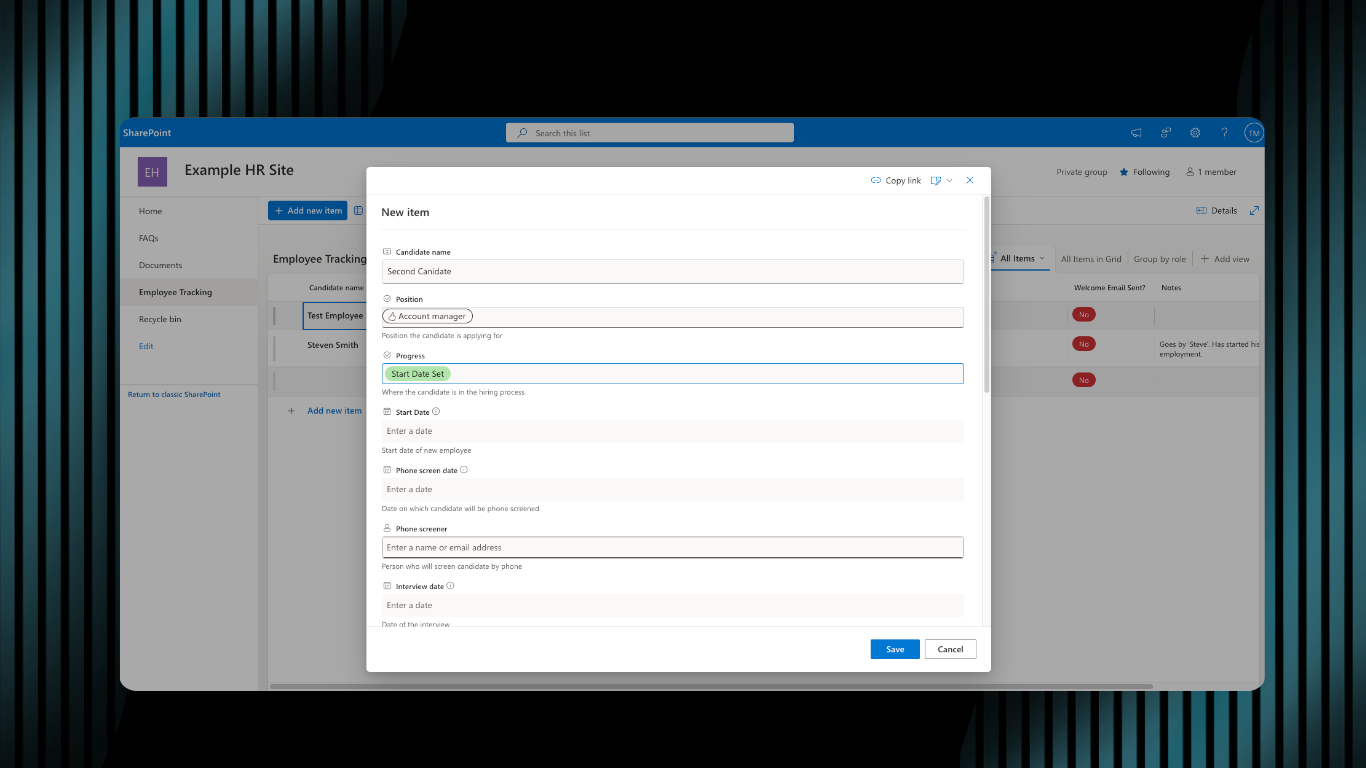
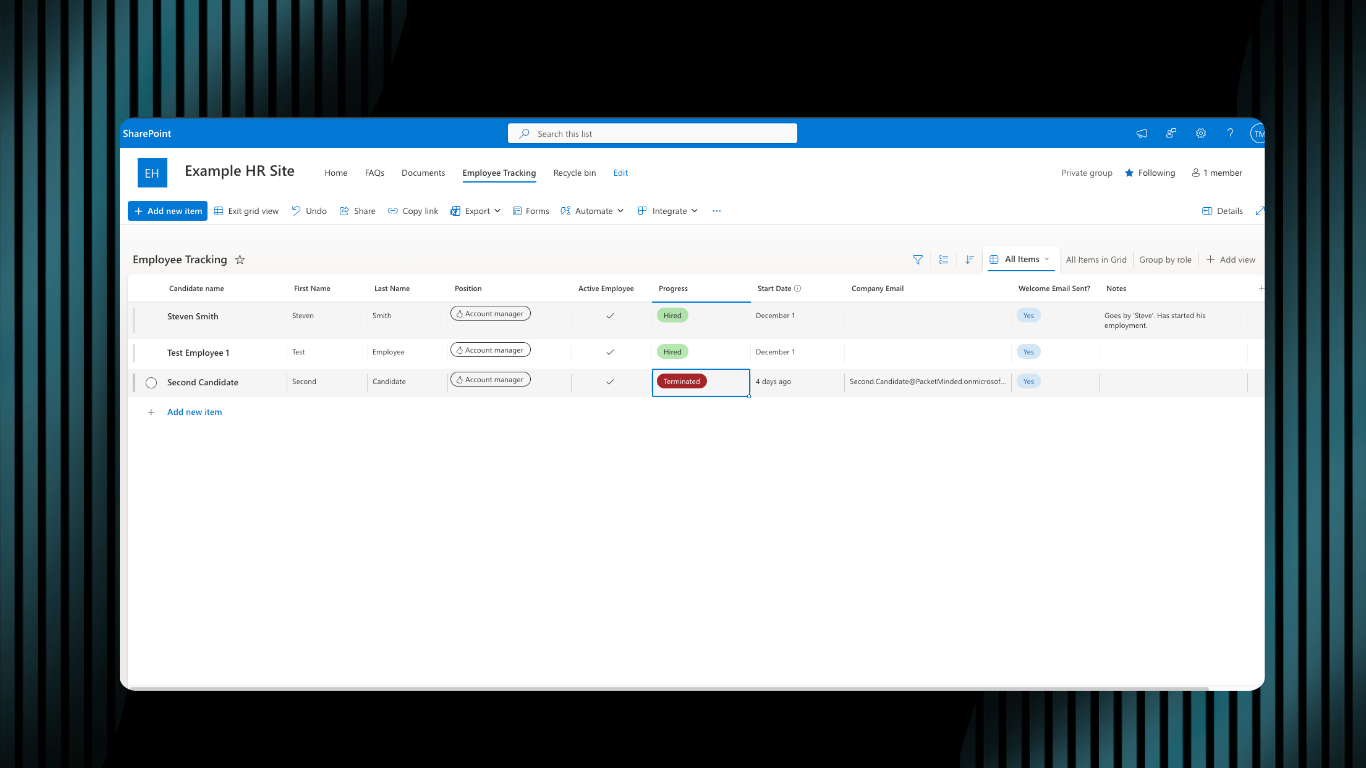
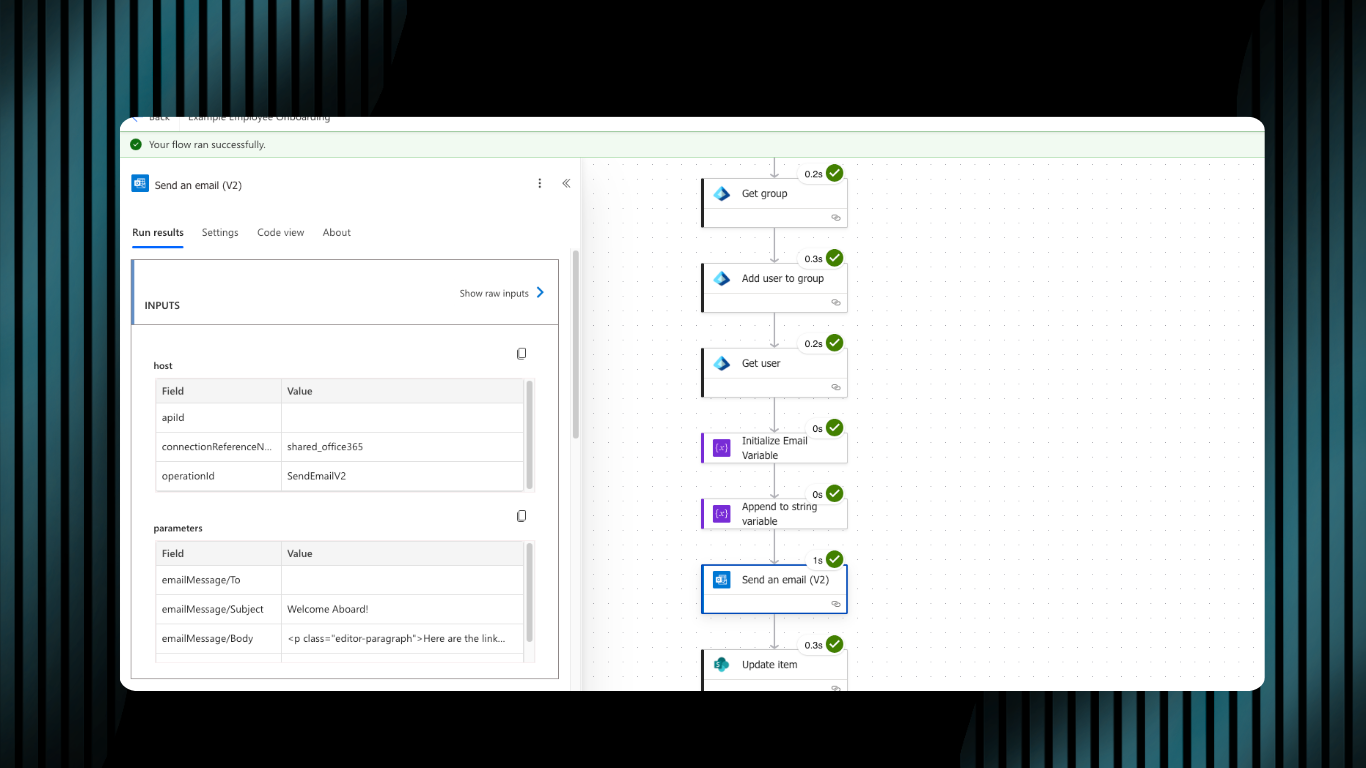
A Power Automate flow that handles the full onboarding sequence automatically, triggered the moment a new hire is added to a SharePoint list. Every step runs in sequence with no manual intervention required after the initial trigger. The flow creates the new employee’s user account in Microsoft Entra ID, generates their company email address, assigns the correct permissions and group memberships based on their role, and sends a personalized welcome email.
The Trigger
Account Creation
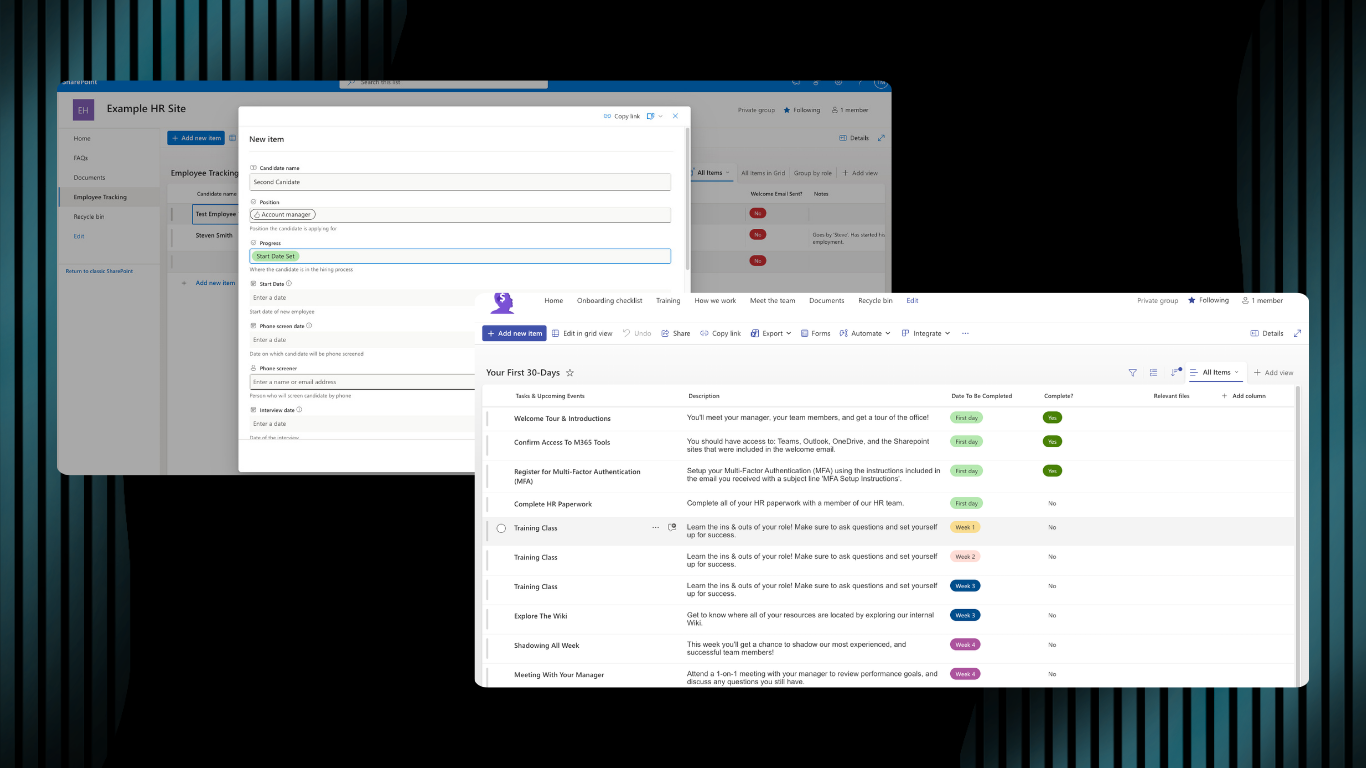
Permissions and Access
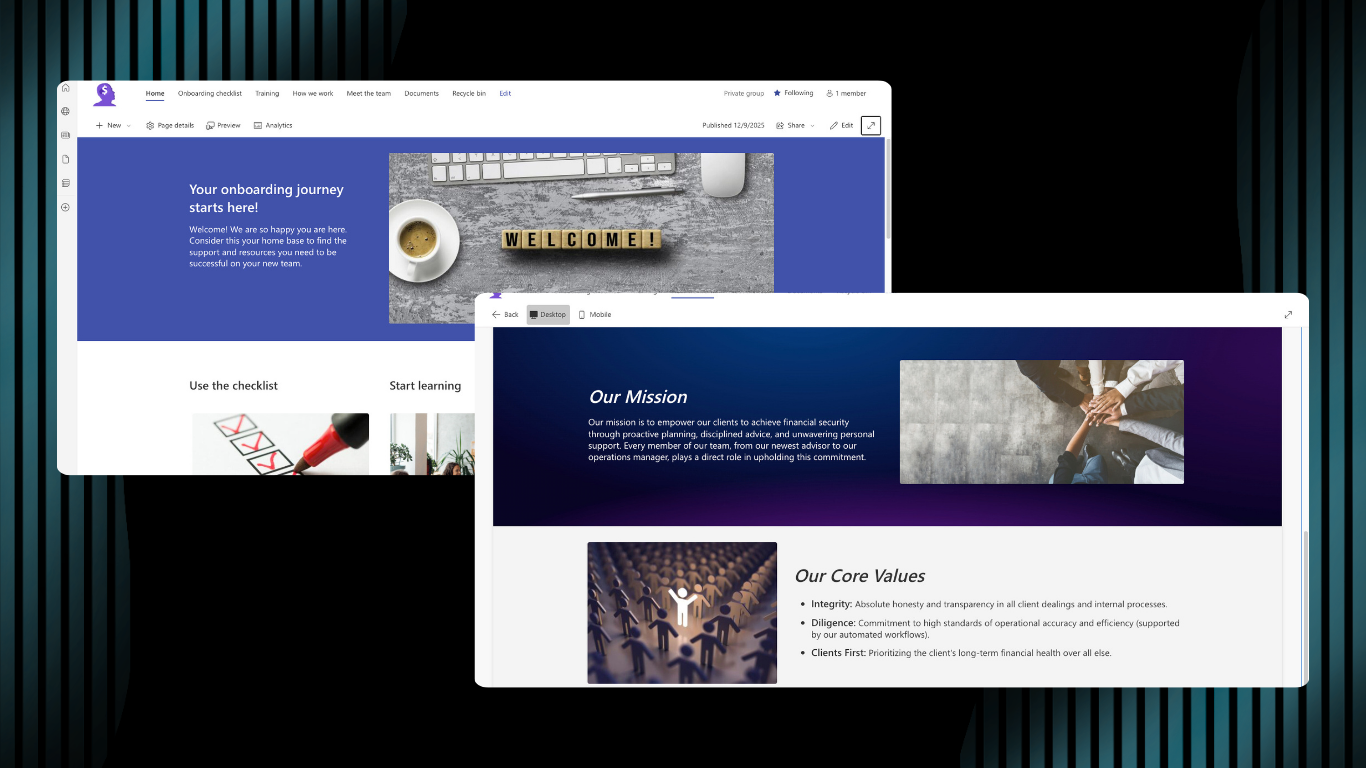
Welcome Email

The Result
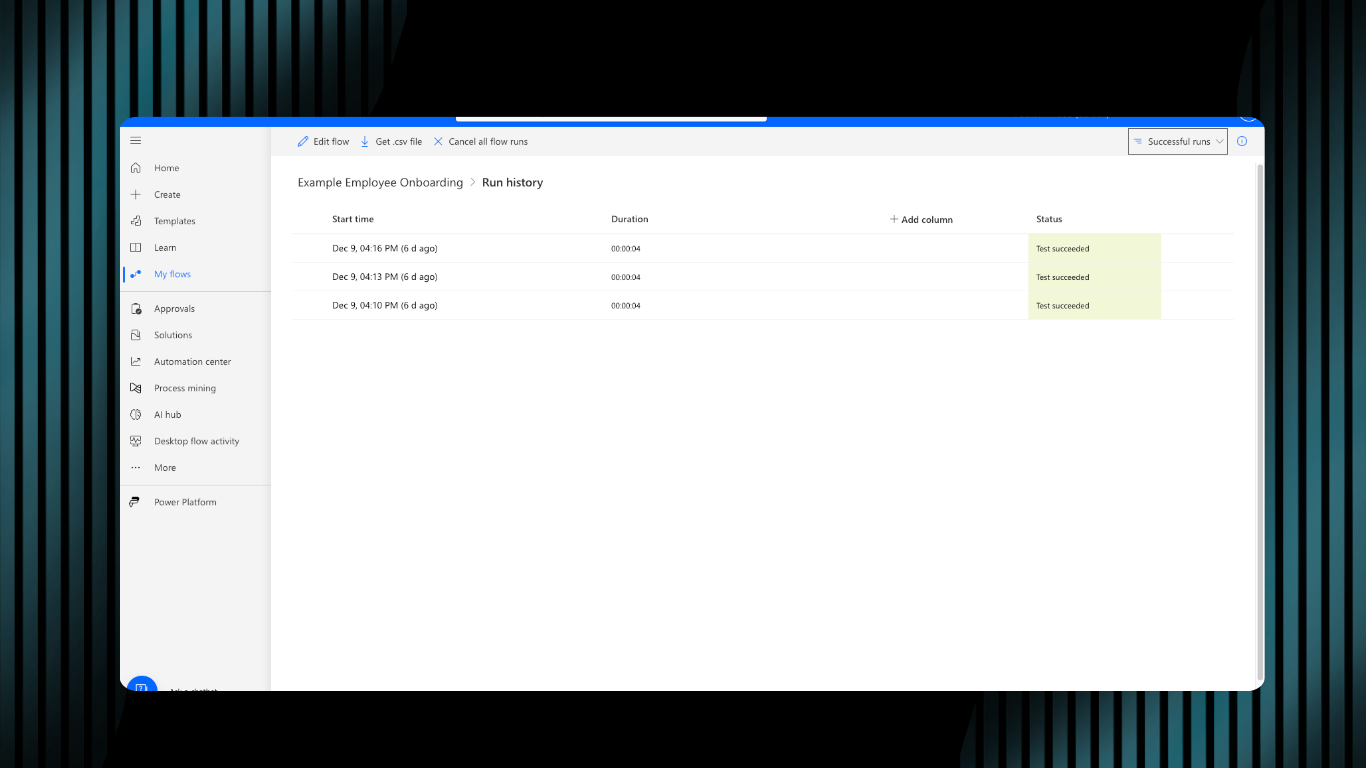
Onboarding runs the same way, every time.
Permissions are assigned correctly. The welcome email goes out without anyone having to remember to send it. The process does not depend on someone following a checklist on the right day. Every new hire goes through the same sequence, with the same steps, in the same order, with no manual intervention required after the trigger fires.
Tools Used
Power Automate
Microsoft SharePoint
Microsoft Entra ID
Microsoft 365
What’s Next